R
↗
Dude, Mr OnusunO, how many times do you have to be clued in and prompted with some valid data which should prompt you to do some real indepth research. The research is the way to establish a belief in the thesis of an asset, without the research you have no real reason to be owning it, and that’s full of angst and worry, give yourself a break and create a knowledge based commitment you can set the asset aside after buying it and let it do its thing, you have decided based in data, that will take place in time as far as you can actually know for sure. Plant a stake and go on to other life things occasionally updating your research to see if your thesis is still accurate. This is how institutions select assets, retail guesses or convinces them selves they aren’t guessing when many times they actually are. I have done extensive research and have found that there is a high probability Monad will be a core infrastructural play on the overall implementation of trad fi on to crypto rails, which is in my research 100% going to happen, the rialing of finance. There is no other option, no other superior technology, everything is going blockchain, it will take 1-20yeras for the transition, and monad once mature and established will be a fixed component of this crypto ecosystem. Parallel execution as it has been hard coded with monad, is an advanced proprietary parallel execution variant. It has been developed by Jump Trading experts in parallel computing, why? Because in high frequency trading you cannot run the risk of your trade order or thousands of micro second trade orders to get bottlenecked behind a task like minting an NFT, that could cost millions in losses at that scale. This dilemma has caused HFT firms to become the premier firms to develop the computer science technology called parallel execution or computing. They have millions riding on the line to develop system which have zero lag time to execute millions of trade orders with absolutely zero failure rate. So you apply this same science to crypto and you can run or process transactions the same way, for instant finality with very little expense per transactions. This is a major reason why Mastercard is working with their engineers as they mature and develop the working incubated system to Mastercards needs as they incubate them. They recognized the use of this HFT skill set and applied it to crypto, a new frontier for this tech, hence monad was formed. Parallel execution in layman’s terms… Let’s say you are cruising along and you come to pond, and there is a line waiting to cross over via the single row of lily pads (you are a bug so weight has no relevance), the line is due to every bug has a different crossing time and ability, so the line grows and you wait for your turn and this wait is never the same depending on who needs to cross, along comes a little bug ambulance tries to cross without the lily pads and sinks in the pond lost forever, there is no crossing without these lily pads. Then one day someone adds a grid of lily pads as a solution, but the bugs do not understand why and simply still use the same row of lily pads. And the solution is a no go, the next day they learn to use two rows and there is some improvement…along comes monad and write a sign (code) that explains based on the person in front of you and their speed please select another adjacent lily pad to pass and you are approved to evaluate any lily pad which supports the expeditious crossing. So the bugs quickly learn to use every lily pad in the pond and everyone crosses at their own speed as fast as they can and the line is forever eliminated. The end, or the beginning! That’s parallel execution, the tech other chains established do not have as monad has, other versions but not the monad superior built version which is known to be the shit! ….and it naturally should be, because it incorporates the knowledge of very skilled experienced parallel technicians and engineers tasked with protecting clients money by the billions, that pressure to deliver, that’s precision under fire, that’s who is building monad. Unparalleled engineering, applied to parallel execution. The lack of coin price heavy parabolic moves is the dilution aspects of coming unlocks and an adoption grind expected to take awhile, and whether the dynamics will nullify or accelerate the risk at the point of dilution. There is a case to be made to be invested now, and plan for demand to outweigh supply, and a case to be made for the opposite hence no dedicated price surges as of yet. Also the public opinion of VC dump as if they will simply drop this project as job done we got the one time pump, get a pay day and drop the whole project as a scam. Are you fucking kidding me? That’s the most immature perspective of financial industry, I’ve ever heard, finance will extract ever single value based ounce there is to be harvested, and if the long game hold true substantial gains and/or possibly be a acquisition target of massive value, they will not simply stop the project and let it rot, and not extract this long term value. That will,never happen this way a lot of public seem to think is the game. Stupid gossip ridiculous thinking of the masses, hence why retail lose money and spray liquidity all over the institutions bank accounts. After the unlocks and after things settle down, monad will continue on with working on the system, adoption, onboarding services, and they have enough cash runway to exist along time without running out of funds such that they are almost guaranteed to weather the storm until adoption meets needed demand and survive to be a major blockchain. This is the real payoff time, and I believe a payday large enough even VC and there time lines will want a piece of this action and either buy back in or hold a portion of their bags, the unlock will not be the real payday and pros know this, it’s in 5-7 years from now, and that fits their chartered timelines of these investment firms. This is why this coin is investable, and why in the long term will be generational wealth ticket, question is now or after dilution, both have risks and both have advantages possibly. If your in it for the long haul you buy now and hold and stake your position to gain yield and benefit from the dilution period and extended wait time, and if being your a long term investor you don’t fear drawdown one bit, which long term holders could careless, if they are dcaing constantly and consistently, the yield earned keeps the time invested not dead money, hence why the yield is there at all. Dead money is bad, yield bearing while waiting for a highly probable successful technological advanced blockchain to mature and be revenue generating from the genesis moment is awe inspiring and will make many rich people with giant smiles on their faces. That’s why monad is a good coin. Go read and research to see why I said these things and bring back some things I dint said, good or bad, help us stay informed, and find peace in your commitments. submitted by /u/willofscott [link] [Kommentare]
 M
↗
M
↗
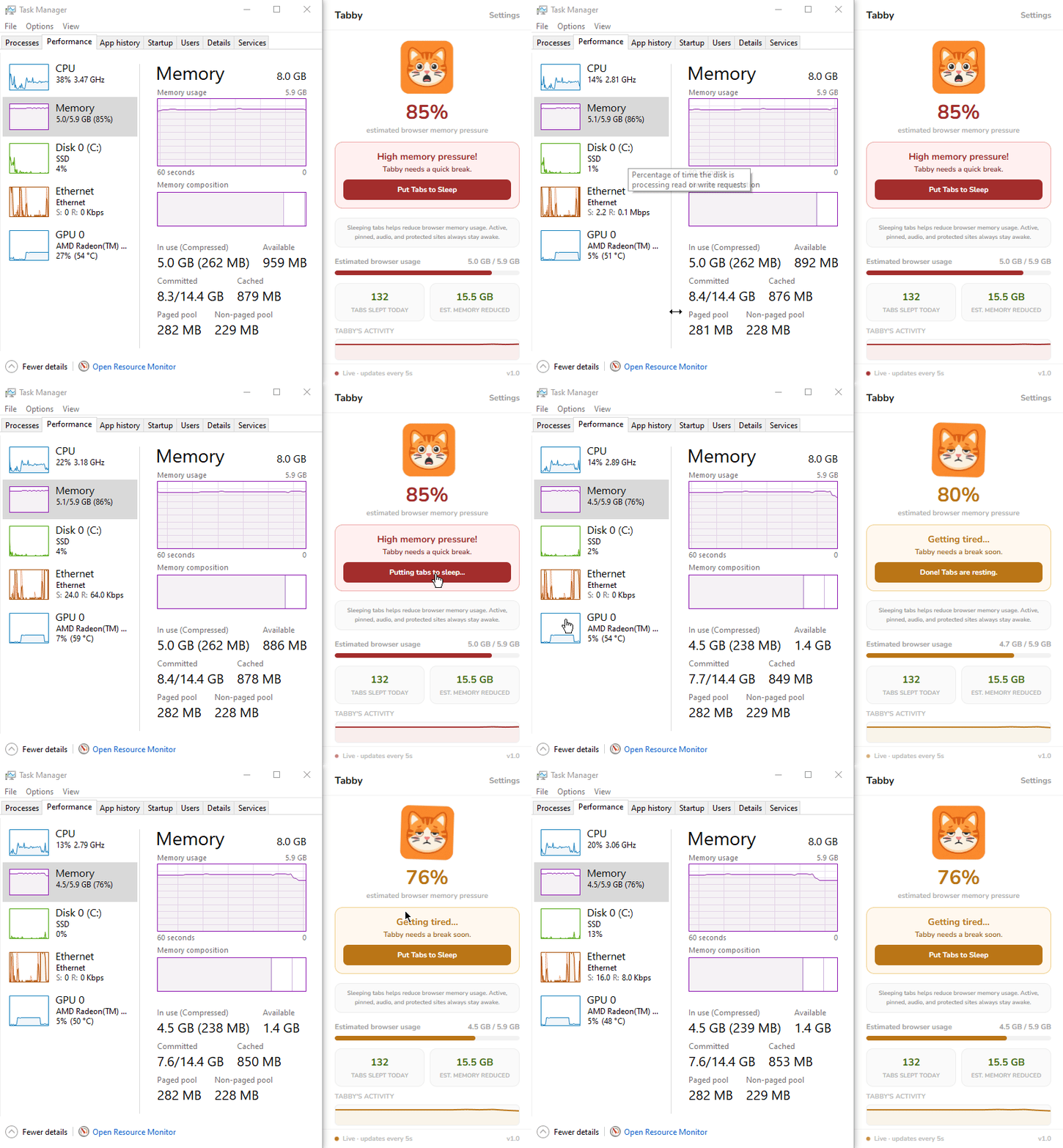
Tabby watches your real memory pressure and automatically sleeps idle tabs before your browser slows down — with a cat that shows you exactly what's going on. One-time payment · No subscription · Works on Chrome, Edge & Brave Watch Tabby save 15.5GB of RAM in a single day — no setup needed Tabby runs quietly in the background. No setup needed. Just install and let the cat do its job. One click. No account. No permissions beyond what's needed. Ready immediately. The cat companion shows your browser's health in real time — happy, tired, or stressed. Tabs you haven't touched are gently rested. They reload instantly when you need them back. Less memory pressure. Smoother browsing. A happier cat — and a happier you. Active, pinned, audio & protected sites always stay awake. Lightweight, private, and does exactly what it promises. Tabby's mood changes based on your browser's memory pressure. Happy and bouncing when calm. Stressed when things get heavy. Tabby waits until tabs are truly idle before putting them to sleep. No aggressive discarding — just gentle, intelligent resting. Active tabs, pinned tabs, and tabs playing audio are never touched. Music, calls, and podcasts keep running. Add your own sites to the whitelist too. See tabs slept and memory reduced today. Resets every morning so you always know what Tabby did for you. Set your own thresholds. Name your companion. Add protected sites. Tabby adapts to exactly how you work. Zero browsing data collected. No servers. Runs only when your browser is open. Your tabs and history stay completely private. Tabby checks more frequently when your browser is stressed and slows down when things are calm — saving resources while staying responsive. Tabby automatically scans your system memory and sets smart default thresholds based on what your device can actually handle — no manual setup needed. Need instant relief? Hit "Put Tabs to Sleep" and Tabby aggressively clears all idle tabs right now — no waiting, no timers. You're always in control. Three states. Three behaviors. Always adapting to keep your browser healthy. Memory is comfortable. Tabby is bouncing happily. No action needed — just enjoying the calm. Memory is climbing. Tabby starts watching closely and quietly puts idle tabs to sleep every 2 minutes. Memory is critical. Tabby acts immediately — sleeping all eligible tabs to bring things back under control. Pay once. Own it forever. No subscriptions, no hidden fees. One-time · All future updates included · No subscription ever Tabby does not collect, store, or transmit any personal data, browsing history, or user information of any kind. All settings and daily stats are stored exclusively on your device using Chrome's built-in storage API. This data never leaves your browser. Tabby connects to LemonSqueezy solely to verify your purchase license key. Install and use immediately. No sign-up, no login, no email address needed — ever. Questions about this policy?Reach out and we'll respond promptly.
 J
↗
J
↗
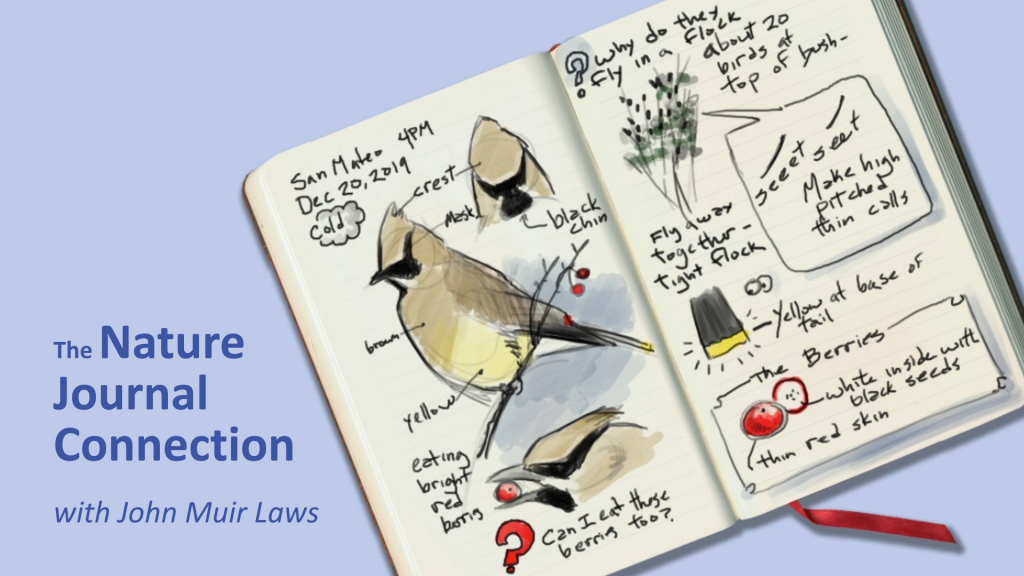
01inspiration I love nature journaling. Over time I've developed a style and approach that I like for capturing sketches quickly, using a Pilot G2 pen in combination with a waterbrush. This lets me add linework and shading simultaneously (I dual wield with the brush in my left hand) and forces me not to be too precious about the final result - there will inevitably be smudges and imperfections, and there is no undo with pen! This project began as a test of Anthropic's new model Claude Fable 5, and grew once I saw the potential to actually recreate that experience in a browser. I love the final result! Example sketches from my notebooks, from fast flamingo figure-drawings to more finessed fan-art fun. Of course, I'm left in a rather funny position: I've 'created' this app, but I haven't actually touched the code! I can read it (it's a rather nice, self-contained single HTML file) since I have experience with the underlying technologies. But I'm hoping that this app is interesting to many people who *aren't* webGL nerds, and so for the sake of all of our collective understanding I've had Fable spin up some interactive demos to illustrate the concepts. You are also welcome to check out the prompts I used to conjure this app into being. Disclaimer: While I've tidied up a bit, the rest of this article contains plenty of AI-witten prose. I don't like AI writing as a rule, especially undisclosed! Hopefully you can forgive me in this case, since (with some iteration) the AI actually did a pretty good job showing all the key pieces. Over time I might refactor and reorganise it to be more in line with my personal sensibilities, but no promises :) 02three sheets of state Under the canvas, the painting is not pixels — it’s a small stack of floating-point textures, ping-ponged through about a dozen WebGL2 fragment shaders every frame. Think of them as transparent sheets laid over each other: fieldformatresolutionmeaning inkRGBA16Fup to 2048, matches screen mobile pigment. RGB is optical density (how much each light channel is absorbed), not color. Alpha is white gouache. fixedRGBA16Fsame as ink pigment that has settled into the paper and no longer moves (section 07). wetR16Fsame as ink how much water is sitting on each point of the paper. velocityRG16F~256 cells on the short side the water’s motion. Coarse on purpose — flow is smooth, pigment is not. pressureR16Fsame as velocity scratch space for keeping the flow incompressible. Each frame: the stroke engine stamps gaussian splats into these fields (section 05), the simulation advances them (03–04), and a final display shader turns density into paper-and-ink color (08). Nothing in the pipeline ever stores “a color” — color only exists for the one shader that draws the screen. You can see the sheets directly. The demo below paints a stroke and washes through it; the buttons switch which field you’re looking at. fig 2An x-ray of the engine. painting is the composed result; pigment is raw ink density; water is the wetness field (note how it spreads past the brush and slowly evaporates); flow shows velocity, direction as hue. The flow only exists where the paper is wet. The two resolutions matter. Velocity lives on a coarse ~256-cell grid because fluid motion is inherently smooth, and the pressure solve (the expensive part) scales with cell count. Pigment and wetness live at up to 2048 — near screen resolution — because that’s where edges, granulation and fine linework live. The sleight of hand of the whole app is sampling a blurry, cheap flow field to push around a sharp, expensive ink field. 03water that moves The flow is Jos Stam’s Stable Fluids (1999), the algorithm behind nearly every realtime smoke, ink and fire toy on the GPU. It earns the “stable” in its name from one idea: don’t push, pull. A naive simulation moves each parcel of fluid forward along its velocity — and explodes the moment a parcel overshoots a grid cell. Stam’s semi-Lagrangian advection flips the question. Each grid cell asks: if the fluid here arrived from somewhere, where was it one timestep ago? It traces backward along the velocity, samples the old field at that point (bilinearly, between the four nearest cells), and adopts the value. No overshoot is possible, because every cell ends up with a weighted average of values that already existed. Big timestep, lazy frame rate, doesn’t matter — it cannot blow up. fig 3Semi-Lagrangian advection. The highlighted cell traces backward along the local velocity (dashed), samples the field between the four nearest cells, and carries that value home. Every cell does this, every frame, in one fragment shader. In GLSL the whole maneuver is two lines: vec2 coord = vUv - uDt * texture(uVelocity, vUv).xy * uTexel; vec2 vel = texture(uVelocity, coord).xy * uDissipation; Advection alone gives you syrup, not water. Two more passes give it character: Pressure projection makes the water incompressible. After advection the velocity field has places where flow piles up (positive divergence) or tears apart (negative). A real liquid refuses both — push it and it must go around. The solver computes the divergence, relaxes a pressure field against it with ~22 Jacobi iterations, and subtracts the pressure gradient from the velocity. What that buys, visibly, is swirl: pushes turn into eddies and curls instead of sprays. Vorticity confinement fights numerical mush. All that bilinear sampling acts like a low-pass filter — little whirlpools blur away within seconds. So the solver measures the curl that remains, finds its ridges, and applies a small force that spins them back up. It’s a knob for liveliness: inkwash ties it (along with the push strength and how slowly velocity decays) to the flow slider. flow · low flow · high fig 4The same scripted strokes — an ink blob, then a circling water brush — at the two ends of the flow slider. Low flow is a damp, obedient wash; high flow has momentum, vorticity, and opinions. 04paper that decides A fluid solver on its own makes smoke — everything drifts forever. What makes this feel like paper is that the wetness field acts as a permission system over the whole simulation. Three gates, all reading the same little texture: Velocity is confined to wet paper. After advecting, the velocity is multiplied by smoothstep(0.005, 0.2, wet) — flow simply cannot exist on dry ground. This is why a wash stops at its own boundary instead of smearing across the page. Pigment mobility is earned, not assumed. The ink pass computes mob = smoothstep(0.02, 0.45, wet) and scales both its advection distance and its bleed rate by it. Damp paper lets ink creep; soaked paper lets it run. Bone-dry paper is a museum — the shader returns the old value untouched and the pixel costs almost nothing. Water itself moves reluctantly. The wet field is advected at only 0.6× the flow speed, blurred a little into its neighbors each frame (capillary creep — a puddle’s edge slowly widens), and decays exponentially. The dry slider sets that time constant, from about 2 to about 18 seconds. Drying is what turns a fluid sim into a painting: every wash is a closing window. fig 5A pen line, then water brushed over its left half. Only the wetted half moves — and only until the paper dries. Slide dry and let the loop replay to feel the working window change. Drying in inkwash is honest in one more way: water doesn’t take the pigment with it when it goes. Wherever ink happens to be when its puddle evaporates, that’s where it stays — mid-bloom, mid-streak, mid-swirl. Most of the textures that read as “watercolor” are just the flow field’s last words, frozen. 05making marks Between your hand and the fields sits a small stroke engine, and it draws everything with a single primitive: a gaussian splat — a fuzzy radial stamp, exp(-d²/r²), blended into a field. A pen stroke is a chain of ink splats; a brush stroke is a chain of water splats plus velocity impulses pointing along the motion. The stamps are spaced at 0.6 of the radius so their overlap sums to a smooth ribbon: fig 6Gaussian stamps along a stroke. Each curve is one splat; the line above is their sum, and the strip is how it renders. At the app’s spacing (0.6×r) the seams vanish; drag the slider apart to see the beads a stroke is secretly made of. How the stamps are blended matters as much as their shape. Ink is additive — densities sum, which (as section 08 will make precise) is exactly how real glazes deepen. Water uses MAX blending instead: wetness saturates rather than accumulates, so scrubbing the brush in place makes paper wet, not impossibly flooded. One blend-equation flag, and it’s the difference between a watercolor and a swamp. The hand data feeding those splats gets shaped, too: Pressure and speed set the nib. For the pen, radius and density both grow with stylus pressure and shrink with speed — a fast flick gives a thin, dry line; a slow, heavy drag gives a dark, swelling one. On a trackpad, Force Touch stands in for pressure; with a mouse or finger, the engine fakes pressure from speed (slow ≈ deliberate ≈ heavy), which is wrong in theory and convincing in practice. The cursor is chased, not obeyed. The brush position relaxes toward the pointer exponentially (k = 1 - exp(-14·dt)). That few-millisecond lag is the cheapest line-quality trick in graphics: jitter is absorbed, corners round off, and strokes get the slight follow-through of a real brush. Stillness is a mark. If the pen dwells in place, ink keeps feeding in at a trickle and the spot blooms — pooling, like resting a real nib on damp paper. A dwelling brush gently stirs the water beneath it instead. fig 7The pen’s vocabulary: a slow, pressure-tapered stroke; a fast light one; and a dwell that pools. Try it yourself — with a stylus you get real pressure, with anything else the speed fake. 06black that isn’t black Here is the trick the whole app was built around. Put a drop of water on a line of cheap black ink and watch the edge: the black stays close, but a blue-violet ghost walks out ahead of it. Black inks are dye cocktails, and on wet paper they chromatograph — each dye travels at its own speed. Inkwash gets this almost for free because of a decision from section 02: pigment is stored as per-channel optical density, and the bleed step — which each frame nudges ink toward the average of its neighbors, where wet — runs at a different rate per channel: // red-absorbing dye escapes fastest, blue-absorbing dye drags behind uChroma = vec3(1.0 + 0.85*C, 1.0 + 0.15*C, max(0.25, 1.0 - 0.65*C)); vec4 bleedAmt = clamp(uBleed * (0.25 + 1.3*brush) * mob * vec4(uChroma, 1.05), 0., 0.92); vec4 mixed = mix(advected, neighborhood, bleedAmt); Read that as chemistry: the component that absorbs red light (and therefore looks cyan-blue) diffuses outward fastest; the component that absorbs blue hangs back in the line. A few seconds of this and any wet edge sorts itself into a dark core with a cool halo — no halo is ever drawn, it separates. The color slider is C in that snippet: at 0 the channels move in lockstep and the ink behaves like lamp black; pushed up, the dyes split apart. One more term worth noticing: brush is a gaussian around the brush tip, so bleeding runs ~5× faster right under the bristles. Scrubbing doesn’t just wet the ink — it actively works it loose, which is exactly what scrubbing should do. fig 8Chromatography on demand: an ink blob, then a circling wet brush. bleed sets how fast pigment diffuses where wet; color sets how differently the channels travel — the source of the blue. Both at zero is well-behaved india ink; both high is the cheapest fountain pen cartridge you ever loved. 07pressing fix Real watercolor layers because dried pigment bonds to the paper — you can glaze over yesterday’s wash without reviving it. A single mobile ink field can’t give you that, which is why inkwash keeps two pigment sheets: ink (mobile) and fixed (settled). Pressing fix (or d) runs a 1.2-second settling pass: each frame a fraction of the mobile pigment transfers to the fixed layer, the velocity field is braked hard, and the wetness flash-dries. The painting looks identical before and after — but it has changed state, from liquid to laminate. fig 9Layering. A diagonal is drawn and washed — it smears. fix. A second diagonal is drawn and washed the same way — only the new stroke moves; the first, now part of the paper, holds. The fix button works on your own marks too. White ink is the other half of the layering story, and it’s sneakier than it looks. White gouache rides in the pigment texture’s alpha channel and composites over the dark ink on screen. But paint white over black, fix it, then draw dark on top — physically you’re drawing on a fresh white ground, so the new line must read dark. If white stayed “a layer on top” forever, it would bleach everything drawn after it. So baking white is destructive, the way real gouache is opaque. At fix time, white coverage bleaches the density underneath it — the dark ink it hides is genuinely removed, in transmittance space — and then the white itself dissolves into the paper: // coverage c of white gouache erases what it hides, then becomes paper float c = (1.0 - exp(-2.2 * whiteAmount)) * uSettle; vec3 T = exp(-density); // current transmittance density = -log(clamp(T * (1.0 - c) + c, 1e-4, 1.0)); fig 10Gouache logic: a dark patch is fixed, a white ring is painted over it and fixed — bleaching what it covers — and then a dark stroke crosses everything and reads dark, even over the white. Three states of the same two textures. 08drawing the paper Everything so far has been bookkeeping in density-land. The display shader is where it becomes a painting, and its core is one physical law. Beer–Lambert: light passing through pigment is attenuated exponentially, per channel. vec3 color = paper * exp(-density * uInkStrength); This is why pigment is stored as density. Overlapping strokes add densities, which multiplies transmittances — and an exponential through a slightly tinted absorption spectrum behaves the way paint does: the first pass is a luminous gray, the fourth is a deep charcoal that still leans cool, and nothing ever clips into flat black. Naive alpha-blending, the default in every drawing API, converges on mud instead: fig 11The same overlapping strokes composited two ways. Left, Beer–Lambert (multiplied transmittance — what inkwash does): overlaps deepen and stay chromatic. Right, standard alpha over: overlaps rush toward a flat gray ceiling. Add strokes with the slider. Around that one law, the display pass layers the things that make paper paper — all generated, nothing sampled from an image: Fiber and tooth. Two octaves-apart value noises (an fbm at large scale, a fine one at pixel scale) tint the blank sheet so it’s never a flat hex code. Granulation. A third noise field modulates ink density — but only where pigment is. That’s the speckle real pigments leave as particles settle into the paper’s valleys. Edge darkening. The shader measures the local gradient of density and multiplies absorption by 1 + 1.35·|∇|. In real watercolor, pigment migrates to a drying wash’s boundary and leaves a dark rim — the single most recognizable watercolor signature. Here it’s a cheap screen-space fake of that, and it’s doing an enormous amount of the look. Wet sheen. Wherever the wet field is high, the paper darkens slightly and coolly — so you can see your working window, watch a wash visibly dry, and know where a new stroke will bloom. fig 12The display pass, dissected. The engine paints the same little wash on loop; the checkboxes turn each rendering ingredient off and on. With everything off, you’re looking at the raw simulation — correct, and dead. 09ways to paint with it The instrument has more registers than its two modes suggest. A few that fall out of the physics: line, then wash wet-on-wet white over dark fig 13Three idioms, looping. Left: the journaling classic — linework, then a wash inside it that feathers the fresh lines into blue-haloed shading. Middle: wet the paper first with a clean brush, then touch the pen into the puddle and let it bloom. Right: fix a dark field, then white ink becomes stars. Line, then wash is the native idiom: draw, press d to fix, then brush freely — your shading can’t destroy your drawing, but fresh ink on top still moves. Wet-on-wet inverts the order: lay clean water first, then drop the pen into it; ink hitting a standing puddle blooms outward instead of holding a line. Dry brush against the clock: with the dry slider high, a wash gives you two seconds of movement and then commits — closer to sumi-e than to watercolor. And the brush ink slider quietly turns the water brush into a loaded watercolor brush, for when you want broad pigment without drawing ten thousand pen lines. The input mapping carries the same pen-and-waterbrush metaphor across devices: On iPad, the Apple Pencil draws and your finger is the water brush — no mode switch, just two different things touching the paper, which is the most honest version of the idea. (A side benefit: strokes are single-pointer, so a resting palm is simply ignored.) On a tablet, the stylus barrel button momentarily swaps pen for brush, like flipping a pencil to its eraser. On a Mac trackpad, Force Touch pressure drives line weight. Failing all of that, keys: b pen / brush w white ink d fix c clear s save png f fullscreen · · · 10colophon Inkwash is a single HTML file — under a thousand lines, no dependencies, no build step. It needs WebGL2 and renderable half-float textures (EXT_color_buffer_float), which is everything from roughly 2021 onward. The full pipeline — twelve shader passes including the 22 Jacobi iterations — runs comfortably at 60 fps on a phone, mostly because the expensive solve happens on the coarse grid. This page is the same engine, refactored just enough to run many instances at once: every demo shares one WebGL context and one set of compiled shaders, keeps its own little stack of field textures, renders to a hidden canvas and copies out — so thirteen simulations coexist without tripping the browser’s context limit, and only the ones on screen actually step. There is also a testing trick inherited from the app: load any of these files with ?demo and the scripted strokes run synchronously at startup, so a headless browser can screenshot a finished painting — which is how an AI assistant and I checked our work while building all of this. back to Johno, the human author: I can't help contrast this project with my first foray into artistic generative webGL stuff - a slime mold sim called dotswarm. That project was a lot of fun, but involved multiple nights tearing my hair out fighting obscure shader bugs. This time around I had the idea, spoke to a computer about it, refined it over time as I zeroed in on what I actually wanted, and ended up with one of my favourite pieces of software ever. All it took was some english language chit-chat! And with a few more turns I ended up with this lovely interactive explainer too. Of course, this isn't exactly rocket science - e.g. the fluid sim piece is a well-known and well-used piece of tech at this point. But still - I'm excited to see things get to the point where such wonderous personal software creation is available to so many people. (Well, right now the model that did this is not available to anyone, thanks to the USG slamming it with export controls - but that's temporary). Anyway, definitely go paint with the app. Check out the source code. But also, think through your backlog of ideas for software you wish existed - there's a chance you can make it now. Good luck :) PS: Here are a few of my sketches done over the course of testing. If you make anything, pretty or not, I'd love to see it! Tag me @johnowhitaker on X. Some test drawings from the first ~day of working on this app :)