 Link preview
Built ros2_info — a lightweight Rust TUI workspace manager & dashboard. Say goodbye to keeping 5 terminal tabs open!
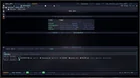
Hey everyone, During active robot bring-up and debugging, I always found myself constantly context-switching between five different terminal windows (one for colcon build, one for ros2 launch, one for checking topics/nodes, one for my editor, etc.). To fix this, I built **ros2_info**—a full-screen, VS Code-style Terminal User Interface (TUI) designed specifically for ROS 2 workflows. It gives you a complete workspace lens with zero Electron weight. ### 🌟 Key Features: * **6 Live Dashboard Tabs:** Real-time visibility into Overview, ROS 2 graph state, Workspace, Diagnostics, Trends, and Fleet. * **Real PTY Terminal:** Run `ros2` commands, `colcon build`, and launch files live inside the dashboard (not just a basic command wrapper). * **Multi-tab Editor:** Built-in code editor with syntax highlighting, find/replace, and Neovim keybindings for quick tweaks over SSH. * **Local Offline AI Assistant:** Powered by Ollama (`ai scan`, `ai fix`, `ai explain`). It can catch build errors and offer diff-gated fixes completely offline. * **Sandbox Mode:** Safely isolate nodes, topics, and services from your real system to experiment freely. Because it's built with **Rust + Ratatui**, it runs incredibly fast, has no heavy dependency chains, and works flawlessly over SSH on a Raspberry Pi or Jetson. 🔗 **Check out the repo here:** https://github.com/Gaurav-x111/ros2\_info I'd love to hear your feedback or feature requests! If this looks like something that could speed up your robotics workflow, dropping a ⭐ on GitHub would mean the world to me! submitted by /u/zang-x111 [link] [Kommentare] reddit.com · reddit.com
Link preview
Built ros2_info — a lightweight Rust TUI workspace manager & dashboard. Say goodbye to keeping 5 terminal tabs open!
Hey everyone, During active robot bring-up and debugging, I always found myself constantly context-switching between five different terminal windows (one for colcon build, one for ros2 launch, one for checking topics/nodes, one for my editor, etc.). To fix this, I built **ros2_info**—a full-screen, VS Code-style Terminal User Interface (TUI) designed specifically for ROS 2 workflows. It gives you a complete workspace lens with zero Electron weight. ### 🌟 Key Features: * **6 Live Dashboard Tabs:** Real-time visibility into Overview, ROS 2 graph state, Workspace, Diagnostics, Trends, and Fleet. * **Real PTY Terminal:** Run `ros2` commands, `colcon build`, and launch files live inside the dashboard (not just a basic command wrapper). * **Multi-tab Editor:** Built-in code editor with syntax highlighting, find/replace, and Neovim keybindings for quick tweaks over SSH. * **Local Offline AI Assistant:** Powered by Ollama (`ai scan`, `ai fix`, `ai explain`). It can catch build errors and offer diff-gated fixes completely offline. * **Sandbox Mode:** Safely isolate nodes, topics, and services from your real system to experiment freely. Because it's built with **Rust + Ratatui**, it runs incredibly fast, has no heavy dependency chains, and works flawlessly over SSH on a Raspberry Pi or Jetson. 🔗 **Check out the repo here:** https://github.com/Gaurav-x111/ros2\_info I'd love to hear your feedback or feature requests! If this looks like something that could speed up your robotics workflow, dropping a ⭐ on GitHub would mean the world to me! submitted by /u/zang-x111 [link] [Kommentare] reddit.com · reddit.com
Hey everyone, During active robot bring-up and debugging, I always found myself constantly context-switching between five different terminal windows (one for colcon build, one for ros2 launch, one for checking topics/nodes, one for my editor, etc.). To fix this, I built **ros2_info**—a full-screen, VS Code-style Terminal User Interface (TUI) designed specifically for ROS 2 workflows. It gives you a complete workspace lens with zero Electron weight. ### 🌟 Key Features: * **6 Live Dashboard Tabs:** Real-time visibility into Overview, ROS 2 graph state, Workspace, Diagnostics, Trends, and Fleet. * **Real PTY Terminal:** Run `ros2` commands, `colcon build`, and launch files live inside the dashboard (not just a basic command wrapper). * **Multi-tab Editor:** Built-in code editor with syntax highlighting, find/replace, and Neovim keybindings for quick tweaks over SSH. * **Local Offline AI Assistant:** Powered by Ollama (`ai scan`, `ai fix`, `ai explain`). It can catch build errors and offer diff-gated fixes completely offline. * **Sandbox Mode:** Safely isolate nodes, topics, and services from your real system to experiment freely. Because it's built with **Rust + Ratatui**, it runs incredibly fast, has no heavy dependency chains, and works flawlessly over SSH on a Raspberry Pi or Jetson. 🔗 **Check out the repo here:** https://github.com/Gaurav-x111/ros2\_info I'd love to hear your feedback or feature requests! If this looks like something that could speed up your robotics workflow, dropping a ⭐ on GitHub would mean the world to me! submitted by /u/zang-x111 [link] [Kommentare]
Comments