 Link preview
Mister Mischief: The esp32 pet robot project using FREERTOS
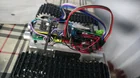
Hello r/robotics. Greetings, this is my first post here. I Live alone. I get lonely sometimes. I cant own a dog. Then I thought, let me build one for myself (i've always been a tinkerer at heart) But then, reality hit like a freight train. I am not a good coder and I dont even work in the field of IT. So I looked at it as a passion project which I work on in my free time. Then I started searching the net for good quality hardware and settled with the esp32 s3 (n16r8) devkit-c1. Its a clone and not an official espressif board. But atleast it has USB-C. Then I thought of doing this the right way. I wanted to use Ardurover but its complicated with the esp32. So I resorted to FreeRTOS and code myself. Im using VSCode with the Platformio extension. Here are the details: Project: Mister Mischief the Robot 1. Hardware MCU: Esp32 s3 (n16r8) devkit-c1 working of a Mini560 buck converter (3.3v) soldered on a perfboard Sensors: GY-91 (clone, unfortunately) with an MPU6500 imu and a BMP280 barometer, HC-SR04 Sonar. Actuators: Dual GB-33 520 motors (350rpm, no encoders, yet!) paired to an XY-160D motor driver Battery: 2s Molicel P50B 21700 Li-ion cells 2. Architecture A central nervous system (GlobalDataBus) which holds all the data from sensors, actuators and tasks, event latches. All this happens inside FreeRTOS spinlocks (critical sections) to avoid memory tearing and random crashes. Tasks use this bus to process events and switch moods and modes (I have many of them currently) and set Event Latches (examples: "isLowering", "isTeasing", "hasExperiencedLift", etc.) 3. Features A fully fleshed out Bluetooth LE control and telemetry stream. Also, an Android App (working on Android Studio for this) which can read the realtime telemetry and display it in the dashboard. It can also control the robot in Manual Override mode (Yes! Remote control). Im not doing this with json but with raw bytes (both the telemetry and the control commands) so that its light weight on the BT LE. PID enabled drive, it holds its heading really well. Autotuning mode( Ardupilot style) which to my surprise perfectly tuned the robot in one attempt. A full fledged terminal which can take commands like "get ", "set ", "reset ", "reset ALL", "reboot> (I am saving configurations in the non volatile storage of the esp32). This currently works over the serial terminal and I'm yet to flesh this out in the Android app. 4. Further additions Four bottom facing IR distance sensors mounted at the the four corners so that it can detect cliffs and dangerous situations. I need to get a lidar (its expensive!) so that I can enable true localization. Since the chassis lifts off when i place it with its "backside" on the floor, I think I can enable "self-balance" mode. Since the sonar will now be facing towards the ceiling, we can use it to interface with the robot in this mode. The event latches are not firing properly and the state (the Behaviour Engine) machine is inconsistent in switching modes. The Wifi keeps crashing and crashing. I've kept it off with the command "set WIFI_ACTIVE off". You can try and see by setting your wifi details by doing: set "WIFI_SSID "" then set WIFI_PASSWORD "" then connect WIFI (but it will crash I think). You need to enclose the SSID and Password in double quotes in the terminal. Tuning, Autotuning and mode triggers from the android app. Basically, I want it to be a mischiveous little companion that greets me when I get back from work, wanders around the house, topples things over, had mood swings, the lot. Whatever we can imagine! You might ask, Why did'nt you use ROS? Heres Why: Im not sure that I can incorporate these Moods and Modes that I have and MicroRos just doesnt cut it! I dont want to drag along a bulky SBC like a raspberry pi. There is networking feature but I want it to function entirely self-contained and standalone even when there's no internet or any connection of any sort. Battery Backup. I want it to have a good battery backup (another reason why I ditched JSON) I wouldnt have gotten to learn so much. I did extensively use AI (sorry in advance if its not allowed here, sincerely!) to build this much. I got to learn so much from this. But its getting out of my hand now and its hard to track the progress of my own work as I Have to work on both the Robot side and the Android App side. But I have tried to keep the code as modular as possible to the best of my abilities. Please feel free to have a look at my repository for both the robot side code and the Android App side code. If anyone is interested to work on this and wants a companion during those times of loneliness, Im inviting them to work on this like me, in their free time. So please feel free to notify me. But I dont even know how to allow anyone else to work on the same project on Github. You'll have to guide me I guess. P.s. I had also posted this over in r/esp32 but since I couldnt add images here, im posting it afresh here so that I can add images. Link to Mister Mischief Robot side repository: Mister Mischiev V1 Link to Mister Mischief Android App: Mister Mischief Android App submitted by /u/Naive-Association-54 [link] [Kommentare] reddit.com · reddit.com
Link preview
Mister Mischief: The esp32 pet robot project using FREERTOS
Hello r/robotics. Greetings, this is my first post here. I Live alone. I get lonely sometimes. I cant own a dog. Then I thought, let me build one for myself (i've always been a tinkerer at heart) But then, reality hit like a freight train. I am not a good coder and I dont even work in the field of IT. So I looked at it as a passion project which I work on in my free time. Then I started searching the net for good quality hardware and settled with the esp32 s3 (n16r8) devkit-c1. Its a clone and not an official espressif board. But atleast it has USB-C. Then I thought of doing this the right way. I wanted to use Ardurover but its complicated with the esp32. So I resorted to FreeRTOS and code myself. Im using VSCode with the Platformio extension. Here are the details: Project: Mister Mischief the Robot 1. Hardware MCU: Esp32 s3 (n16r8) devkit-c1 working of a Mini560 buck converter (3.3v) soldered on a perfboard Sensors: GY-91 (clone, unfortunately) with an MPU6500 imu and a BMP280 barometer, HC-SR04 Sonar. Actuators: Dual GB-33 520 motors (350rpm, no encoders, yet!) paired to an XY-160D motor driver Battery: 2s Molicel P50B 21700 Li-ion cells 2. Architecture A central nervous system (GlobalDataBus) which holds all the data from sensors, actuators and tasks, event latches. All this happens inside FreeRTOS spinlocks (critical sections) to avoid memory tearing and random crashes. Tasks use this bus to process events and switch moods and modes (I have many of them currently) and set Event Latches (examples: "isLowering", "isTeasing", "hasExperiencedLift", etc.) 3. Features A fully fleshed out Bluetooth LE control and telemetry stream. Also, an Android App (working on Android Studio for this) which can read the realtime telemetry and display it in the dashboard. It can also control the robot in Manual Override mode (Yes! Remote control). Im not doing this with json but with raw bytes (both the telemetry and the control commands) so that its light weight on the BT LE. PID enabled drive, it holds its heading really well. Autotuning mode( Ardupilot style) which to my surprise perfectly tuned the robot in one attempt. A full fledged terminal which can take commands like "get ", "set ", "reset ", "reset ALL", "reboot> (I am saving configurations in the non volatile storage of the esp32). This currently works over the serial terminal and I'm yet to flesh this out in the Android app. 4. Further additions Four bottom facing IR distance sensors mounted at the the four corners so that it can detect cliffs and dangerous situations. I need to get a lidar (its expensive!) so that I can enable true localization. Since the chassis lifts off when i place it with its "backside" on the floor, I think I can enable "self-balance" mode. Since the sonar will now be facing towards the ceiling, we can use it to interface with the robot in this mode. The event latches are not firing properly and the state (the Behaviour Engine) machine is inconsistent in switching modes. The Wifi keeps crashing and crashing. I've kept it off with the command "set WIFI_ACTIVE off". You can try and see by setting your wifi details by doing: set "WIFI_SSID "" then set WIFI_PASSWORD "" then connect WIFI (but it will crash I think). You need to enclose the SSID and Password in double quotes in the terminal. Tuning, Autotuning and mode triggers from the android app. Basically, I want it to be a mischiveous little companion that greets me when I get back from work, wanders around the house, topples things over, had mood swings, the lot. Whatever we can imagine! You might ask, Why did'nt you use ROS? Heres Why: Im not sure that I can incorporate these Moods and Modes that I have and MicroRos just doesnt cut it! I dont want to drag along a bulky SBC like a raspberry pi. There is networking feature but I want it to function entirely self-contained and standalone even when there's no internet or any connection of any sort. Battery Backup. I want it to have a good battery backup (another reason why I ditched JSON) I wouldnt have gotten to learn so much. I did extensively use AI (sorry in advance if its not allowed here, sincerely!) to build this much. I got to learn so much from this. But its getting out of my hand now and its hard to track the progress of my own work as I Have to work on both the Robot side and the Android App side. But I have tried to keep the code as modular as possible to the best of my abilities. Please feel free to have a look at my repository for both the robot side code and the Android App side code. If anyone is interested to work on this and wants a companion during those times of loneliness, Im inviting them to work on this like me, in their free time. So please feel free to notify me. But I dont even know how to allow anyone else to work on the same project on Github. You'll have to guide me I guess. P.s. I had also posted this over in r/esp32 but since I couldnt add images here, im posting it afresh here so that I can add images. Link to Mister Mischief Robot side repository: Mister Mischiev V1 Link to Mister Mischief Android App: Mister Mischief Android App submitted by /u/Naive-Association-54 [link] [Kommentare] reddit.com · reddit.com
Hello r/robotics. Greetings, this is my first post here. I Live alone. I get lonely sometimes. I cant own a dog. Then I thought, let me build one for myself (i've always been a tinkerer at heart) But then, reality hit like a freight train. I am not a good coder and I dont even work in the field of IT. So I looked at it as a passion project which I work on in my free time. Then I started searching the net for good quality hardware and settled with the esp32 s3 (n16r8) devkit-c1. Its a clone and not an official espressif board. But atleast it has USB-C. Then I thought of doing this the right way. I wanted to use Ardurover but its complicated with the esp32. So I resorted to FreeRTOS and code myself. Im using VSCode with the Platformio extension. Here are the details: Project: Mister Mischief the Robot 1. Hardware MCU: Esp32 s3 (n16r8) devkit-c1 working of a Mini560 buck converter (3.3v) soldered on a perfboard Sensors: GY-91 (clone, unfortunately) with an MPU6500 imu and a BMP280 barometer, HC-SR04 Sonar. Actuators: Dual GB-33 520 motors (350rpm, no encoders, yet!) paired to an XY-160D motor driver Battery: 2s Molicel P50B 21700 Li-ion cells 2. Architecture A central nervous system (GlobalDataBus) which holds all the data from sensors, actuators and tasks, event latches. All this happens inside FreeRTOS spinlocks (critical sections) to avoid memory tearing and random crashes. Tasks use this bus to process events and switch moods and modes (I have many of them currently) and set Event Latches (examples: "isLowering", "isTeasing", "hasExperiencedLift", etc.) 3. Features A fully fleshed out Bluetooth LE control and telemetry stream. Also, an Android App (working on Android Studio for this) which can read the realtime telemetry and display it in the dashboard. It can also control the robot in Manual Override mode (Yes! Remote control). Im not doing this with json but with raw bytes (both the telemetry and the control commands) so that its light weight on the BT LE. PID enabled drive, it holds its heading really well. Autotuning mode( Ardupilot style) which to my surprise perfectly tuned the robot in one attempt. A full fledged terminal which can take commands like "get ", "set ", "reset ", "reset ALL", "reboot> (I am saving configurations in the non volatile storage of the esp32). This currently works over the serial terminal and I'm yet to flesh this out in the Android app. 4. Further additions Four bottom facing IR distance sensors mounted at the the four corners so that it can detect cliffs and dangerous situations. I need to get a lidar (its expensive!) so that I can enable true localization. Since the chassis lifts off when i place it with its "backside" on the floor, I think I can enable "self-balance" mode. Since the sonar will now be facing towards the ceiling, we can use it to interface with the robot in this mode. The event latches are not firing properly and the state (the Behaviour Engine) machine is inconsistent in switching modes. The Wifi keeps crashing and crashing. I've kept it off with the command "set WIFI_ACTIVE off". You can try and see by setting your wifi details by doing: set "WIFI_SSID "" then set WIFI_PASSWORD "" then connect WIFI (but it will crash I think). You need to enclose the SSID and Password in double quotes in the terminal. Tuning, Autotuning and mode triggers from the android app. Basically, I want it to be a mischiveous little companion that greets me when I get back from work, wanders around the house, topples things over, had mood swings, the lot. Whatever we can imagine! You might ask, Why did'nt you use ROS? Heres Why: Im not sure that I can incorporate these Moods and Modes that I have and MicroRos just doesnt cut it! I dont want to drag along a bulky SBC like a raspberry pi. There is networking feature but I want it to function entirely self-contained and standalone even when there's no internet or any connection of any sort. Battery Backup. I want it to have a good battery backup (another reason why I ditched JSON) I wouldnt have gotten to learn so much. I did extensively use AI (sorry in advance if its not allowed here, sincerely!) to build this much. I got to learn so much from this. But its getting out of my hand now and its hard to track the progress of my own work as I Have to work on both the Robot side and the Android App side. But I have tried to keep the code as modular as possible to the best of my abilities. Please feel free to have a look at my repository for both the robot side code and the Android App side code. If anyone is interested to work on this and wants a companion during those times of loneliness, Im inviting them to work on this like me, in their free time. So please feel free to notify me. But I dont even know how to allow anyone else to work on the same project on Github. You'll have to guide me I guess. P.s. I had also posted this over in r/esp32 but since I couldnt add images here, im posting it afresh here so that I can add images. Link to Mister Mischief Robot side repository: Mister Mischiev V1 Link to Mister Mischief Android App: Mister Mischief Android App submitted by /u/Naive-Association-54 [link] [Kommentare]
Comments