01inspiration
I love nature journaling. Over time I've developed a style and approach that I like for capturing sketches quickly, using a Pilot G2 pen in combination with a waterbrush. This lets me add linework and shading simultaneously (I dual wield with the brush in my left hand) and forces me not to be too precious about the final result - there will inevitably be smudges and imperfections, and there is no undo with pen!
This project began as a test of Anthropic's new model Claude Fable 5, and grew once I saw the potential to actually recreate that experience in a browser. I love the final result!
Example sketches from my notebooks, from fast flamingo figure-drawings to more finessed fan-art fun.
Of course, I'm left in a rather funny position: I've 'created' this app, but I haven't actually touched the code! I can read it (it's a rather nice, self-contained single HTML file) since I have experience with the underlying technologies. But I'm hoping that this app is interesting to many people who *aren't* webGL nerds, and so for the sake of all of our collective understanding I've had Fable spin up some interactive demos to illustrate the concepts. You are also welcome to check out the prompts I used to conjure this app into being.
Disclaimer: While I've tidied up a bit, the rest of this article contains plenty of AI-witten prose. I don't like AI writing as a rule, especially undisclosed! Hopefully you can forgive me in this case, since (with some iteration) the AI actually did a pretty good job showing all the key pieces. Over time I might refactor and reorganise it to be more in line with my personal sensibilities, but no promises :)
02three sheets of state
Under the canvas, the painting is not pixels — it’s a small stack of
floating-point textures, ping-ponged through about a dozen WebGL2 fragment shaders
every frame. Think of them as transparent sheets laid over each other:
fieldformatresolutionmeaning
inkRGBA16Fup to 2048, matches screen
mobile pigment. RGB is optical density (how much each light channel
is absorbed), not color. Alpha is white gouache.
fixedRGBA16Fsame as ink
pigment that has settled into the paper and no longer moves
(section 07).
wetR16Fsame as ink
how much water is sitting on each point of the paper.
velocityRG16F~256 cells on the short side
the water’s motion. Coarse on purpose — flow is smooth, pigment is not.
pressureR16Fsame as velocity
scratch space for keeping the flow incompressible.
Each frame: the stroke engine stamps gaussian splats into these fields
(section 05), the simulation advances them
(03–04), and a final display shader turns
density into paper-and-ink color (08). Nothing in the pipeline
ever stores “a color” — color only exists for the one shader that draws
the screen.
You can see the sheets directly. The demo below paints a stroke and washes through
it; the buttons switch which field you’re looking at.
fig 2An x-ray of the engine.
painting is the composed result; pigment is raw ink density;
water is the wetness field (note how it spreads past the brush and slowly
evaporates); flow shows velocity, direction as hue. The flow only exists
where the paper is wet.
The two resolutions matter. Velocity lives on a coarse ~256-cell grid because fluid
motion is inherently smooth, and the pressure solve (the expensive part) scales with
cell count. Pigment and wetness live at up to 2048 — near screen resolution — because
that’s where edges, granulation and fine linework live. The sleight of hand of
the whole app is sampling a blurry, cheap flow field to push around a sharp, expensive
ink field.
03water that moves
The flow is Jos Stam’s Stable Fluids (1999), the algorithm behind
nearly every realtime smoke, ink and fire toy on the GPU. It earns the
“stable” in its name from one idea: don’t push, pull.
A naive simulation moves each parcel of fluid forward along its velocity — and
explodes the moment a parcel overshoots a grid cell. Stam’s semi-Lagrangian
advection flips the question. Each grid cell asks: if the fluid here arrived
from somewhere, where was it one timestep ago? It traces backward along the
velocity, samples the old field at that point (bilinearly, between the four nearest
cells), and adopts the value. No overshoot is possible, because every cell ends up with
a weighted average of values that already existed. Big timestep, lazy frame rate,
doesn’t matter — it cannot blow up.
fig 3Semi-Lagrangian advection. The highlighted
cell traces backward along the local velocity (dashed), samples the field
between the four nearest cells, and carries that value home. Every cell does this,
every frame, in one fragment shader.
In GLSL the whole maneuver is two lines:
vec2 coord = vUv - uDt * texture(uVelocity, vUv).xy * uTexel;
vec2 vel = texture(uVelocity, coord).xy * uDissipation;
Advection alone gives you syrup, not water. Two more passes give it character:
Pressure projection makes the water incompressible. After advection
the velocity field has places where flow piles up (positive divergence) or tears apart
(negative). A real liquid refuses both — push it and it must go around. The
solver computes the divergence, relaxes a pressure field against it with ~22 Jacobi
iterations, and subtracts the pressure gradient from the velocity. What that buys,
visibly, is swirl: pushes turn into eddies and curls instead of sprays.
Vorticity confinement fights numerical mush. All that bilinear
sampling acts like a low-pass filter — little whirlpools blur away within seconds. So
the solver measures the curl that remains, finds its ridges, and applies a small force
that spins them back up. It’s a knob for liveliness: inkwash ties it (along with
the push strength and how slowly velocity decays) to the flow
slider.
flow · low
flow · high
fig 4The same scripted strokes — an ink blob,
then a circling water brush — at the two ends of the flow slider. Low flow
is a damp, obedient wash; high flow has momentum, vorticity, and opinions.
04paper that decides
A fluid solver on its own makes smoke — everything drifts forever. What makes this
feel like paper is that the wetness field acts as a permission system over the
whole simulation. Three gates, all reading the same little texture:
Velocity is confined to wet paper. After advecting, the velocity is
multiplied by smoothstep(0.005, 0.2, wet) — flow simply cannot
exist on dry ground. This is why a wash stops at its own boundary instead of smearing
across the page.
Pigment mobility is earned, not assumed. The ink pass computes
mob = smoothstep(0.02, 0.45, wet) and scales both its
advection distance and its bleed rate by it. Damp paper lets ink creep; soaked paper
lets it run. Bone-dry paper is a museum — the shader returns the old value untouched
and the pixel costs almost nothing.
Water itself moves reluctantly. The wet field is advected at only
0.6× the flow speed, blurred a little into its neighbors each frame (capillary
creep — a puddle’s edge slowly widens), and decays exponentially. The
dry slider sets that time constant, from about 2 to about 18 seconds.
Drying is what turns a fluid sim into a painting: every wash is a closing window.
fig 5A pen line, then water brushed over its left
half. Only the wetted half moves — and only until the paper dries. Slide
dry and let the loop replay to feel the working window change.
Drying in inkwash is honest in one more way: water doesn’t take the pigment
with it when it goes. Wherever ink happens to be when its puddle evaporates, that’s
where it stays — mid-bloom, mid-streak, mid-swirl. Most of the textures that read as
“watercolor” are just the flow field’s last words, frozen.
05making marks
Between your hand and the fields sits a small stroke engine, and it draws everything
with a single primitive: a gaussian splat — a fuzzy radial stamp,
exp(-d²/r²), blended into a field. A pen stroke is a chain of
ink splats; a brush stroke is a chain of water splats plus velocity impulses pointing
along the motion. The stamps are spaced at 0.6 of the radius so their overlap sums to
a smooth ribbon:
fig 6Gaussian stamps along a stroke. Each curve
is one splat; the line above is their sum, and the strip is how it renders. At the
app’s spacing (0.6×r) the seams vanish; drag the slider apart to see the
beads a stroke is secretly made of.
How the stamps are blended matters as much as their shape. Ink is
additive — densities sum, which (as section 08 will make precise) is exactly
how real glazes deepen. Water uses MAX blending instead: wetness
saturates rather than accumulates, so scrubbing the brush in place makes paper
wet, not impossibly flooded. One blend-equation flag, and it’s the
difference between a watercolor and a swamp.
The hand data feeding those splats gets shaped, too:
Pressure and speed set the nib. For the pen, radius and density
both grow with stylus pressure and shrink with speed — a fast flick gives a thin, dry
line; a slow, heavy drag gives a dark, swelling one. On a trackpad, Force Touch stands
in for pressure; with a mouse or finger, the engine fakes pressure from speed (slow
≈ deliberate ≈ heavy), which is wrong in theory and convincing in
practice.
The cursor is chased, not obeyed. The brush position relaxes toward
the pointer exponentially (k = 1 - exp(-14·dt)).
That few-millisecond lag is the cheapest line-quality trick in graphics: jitter is
absorbed, corners round off, and strokes get the slight follow-through of a real
brush.
Stillness is a mark. If the pen dwells in place, ink keeps
feeding in at a trickle and the spot blooms — pooling, like resting a real nib on damp
paper. A dwelling brush gently stirs the water beneath it instead.
fig 7The pen’s vocabulary: a slow,
pressure-tapered stroke; a fast light one; and a dwell that pools. Try it yourself —
with a stylus you get real pressure, with anything else the speed fake.
06black that isn’t black
Here is the trick the whole app was built around. Put a drop of water on a line of
cheap black ink and watch the edge: the black stays close, but a blue-violet ghost
walks out ahead of it. Black inks are dye cocktails, and on wet paper they
chromatograph — each dye travels at its own speed.
Inkwash gets this almost for free because of a decision from section 02: pigment is
stored as per-channel optical density, and the bleed step — which
each frame nudges ink toward the average of its neighbors, where wet — runs at a
different rate per channel:
// red-absorbing dye escapes fastest, blue-absorbing dye drags behind
uChroma = vec3(1.0 + 0.85*C, 1.0 + 0.15*C, max(0.25, 1.0 - 0.65*C));
vec4 bleedAmt = clamp(uBleed * (0.25 + 1.3*brush) * mob * vec4(uChroma, 1.05), 0., 0.92);
vec4 mixed = mix(advected, neighborhood, bleedAmt);
Read that as chemistry: the component that absorbs red light (and therefore
looks cyan-blue) diffuses outward fastest; the component that absorbs blue
hangs back in the line. A few seconds of this and any wet edge sorts itself into a
dark core with a cool halo — no halo is ever drawn, it separates. The
color slider is C in that snippet: at 0 the channels
move in lockstep and the ink behaves like lamp black; pushed up, the dyes split
apart.
One more term worth noticing: brush is a gaussian around the brush tip,
so bleeding runs ~5× faster right under the bristles. Scrubbing doesn’t
just wet the ink — it actively works it loose, which is exactly what scrubbing should
do.
fig 8Chromatography on demand: an ink blob, then
a circling wet brush. bleed sets how fast pigment diffuses where wet;
color sets how differently the channels travel — the source of the blue.
Both at zero is well-behaved india ink; both high is the cheapest fountain pen
cartridge you ever loved.
07pressing fix
Real watercolor layers because dried pigment bonds to the paper — you can glaze over
yesterday’s wash without reviving it. A single mobile ink field can’t give
you that, which is why inkwash keeps two pigment sheets: ink (mobile) and
fixed (settled). Pressing fix (or d) runs a
1.2-second settling pass: each frame a fraction of the mobile pigment transfers to the
fixed layer, the velocity field is braked hard, and the wetness flash-dries. The
painting looks identical before and after — but it has changed state, from liquid to
laminate.
fig 9Layering. A diagonal is drawn and washed —
it smears. fix. A second diagonal is drawn and washed the same way — only
the new stroke moves; the first, now part of the paper, holds. The fix button works
on your own marks too.
White ink is the other half of the layering story, and it’s sneakier than it
looks. White gouache rides in the pigment texture’s alpha channel and composites
over the dark ink on screen. But paint white over black, fix it, then draw
dark on top — physically you’re drawing on a fresh white ground, so the new line
must read dark. If white stayed “a layer on top” forever, it would bleach
everything drawn after it.
So baking white is destructive, the way real gouache is opaque. At fix time, white
coverage bleaches the density underneath it — the dark ink it hides is
genuinely removed, in transmittance space — and then the white itself dissolves into
the paper:
// coverage c of white gouache erases what it hides, then becomes paper
float c = (1.0 - exp(-2.2 * whiteAmount)) * uSettle;
vec3 T = exp(-density); // current transmittance
density = -log(clamp(T * (1.0 - c) + c, 1e-4, 1.0));
fig 10Gouache logic: a dark patch is fixed, a
white ring is painted over it and fixed — bleaching what it covers — and then a dark
stroke crosses everything and reads dark, even over the white. Three states of the
same two textures.
08drawing the paper
Everything so far has been bookkeeping in density-land. The display shader is where
it becomes a painting, and its core is one physical law. Beer–Lambert:
light passing through pigment is attenuated exponentially, per channel.
vec3 color = paper * exp(-density * uInkStrength);
This is why pigment is stored as density. Overlapping strokes add densities,
which multiplies transmittances — and an exponential through a slightly tinted
absorption spectrum behaves the way paint does: the first pass is a luminous gray, the
fourth is a deep charcoal that still leans cool, and nothing ever clips into flat
black. Naive alpha-blending, the default in every drawing API, converges on mud
instead:
fig 11The same overlapping strokes composited
two ways. Left, Beer–Lambert (multiplied transmittance — what inkwash does): overlaps
deepen and stay chromatic. Right, standard alpha over: overlaps rush toward a flat
gray ceiling. Add strokes with the slider.
Around that one law, the display pass layers the things that make paper paper —
all generated, nothing sampled from an image:
Fiber and tooth. Two octaves-apart value noises (an fbm at large
scale, a fine one at pixel scale) tint the blank sheet so it’s never a flat
hex code.
Granulation. A third noise field modulates ink density — but only
where pigment is. That’s the speckle real pigments leave as particles settle
into the paper’s valleys.
Edge darkening. The shader measures the local gradient of density
and multiplies absorption by 1 + 1.35·|∇|. In real
watercolor, pigment migrates to a drying wash’s boundary and leaves a dark rim —
the single most recognizable watercolor signature. Here it’s a cheap screen-space
fake of that, and it’s doing an enormous amount of the look.
Wet sheen. Wherever the wet field is high, the paper darkens
slightly and coolly — so you can see your working window, watch a wash
visibly dry, and know where a new stroke will bloom.
fig 12The display pass, dissected. The engine
paints the same little wash on loop; the checkboxes turn each rendering ingredient
off and on. With everything off, you’re looking at the raw simulation — correct,
and dead.
09ways to paint with it
The instrument has more registers than its two modes suggest. A few that fall out
of the physics:
line, then wash
wet-on-wet
white over dark
fig 13Three idioms, looping. Left: the
journaling classic — linework, then a wash inside it that feathers the fresh lines
into blue-haloed shading. Middle: wet the paper first with a clean brush,
then touch the pen into the puddle and let it bloom. Right: fix a dark
field, then white ink becomes stars.
Line, then wash is the native idiom: draw, press d to
fix, then brush freely — your shading can’t destroy your drawing, but fresh ink
on top still moves. Wet-on-wet inverts the order: lay clean water
first, then drop the pen into it; ink hitting a standing puddle blooms outward instead
of holding a line. Dry brush against the clock: with the dry slider
high, a wash gives you two seconds of movement and then commits — closer to sumi-e
than to watercolor. And the brush ink slider quietly turns the water
brush into a loaded watercolor brush, for when you want broad pigment without drawing
ten thousand pen lines.
The input mapping carries the same pen-and-waterbrush metaphor across devices:
On iPad, the Apple Pencil draws and
your finger is the water brush — no mode switch, just two different things
touching the paper, which is the most honest version of the idea. (A side benefit:
strokes are single-pointer, so a resting palm is simply ignored.)
On a tablet, the stylus barrel button momentarily swaps pen for brush,
like flipping a pencil to its eraser. On a Mac trackpad, Force Touch
pressure drives line weight. Failing all of that, keys:
b pen / brush w white ink
d fix c clear s save png
f fullscreen
· · ·
10colophon
Inkwash is a single HTML file — under a thousand lines, no dependencies, no build
step. It needs WebGL2 and renderable half-float textures
(EXT_color_buffer_float), which is everything from roughly 2021 onward.
The full pipeline — twelve shader passes including the 22 Jacobi iterations — runs
comfortably at 60 fps on a phone, mostly because the expensive solve happens on
the coarse grid.
This page is the same engine, refactored just enough to run many instances at once:
every demo shares one WebGL context and one set of compiled shaders, keeps its
own little stack of field textures, renders to a hidden canvas and copies out — so
thirteen simulations coexist without tripping the browser’s context limit, and
only the ones on screen actually step. There is also a testing trick inherited from the
app: load any of these files with ?demo and the scripted strokes run
synchronously at startup, so a headless browser can screenshot a finished painting —
which is how an AI assistant and I checked our work while building all of this.
back to Johno, the human author:
I can't help contrast this project with my first foray into artistic generative webGL stuff - a slime mold sim called dotswarm. That project was a lot of fun, but involved multiple nights tearing my hair out fighting obscure shader bugs. This time around I had the idea, spoke to a computer about it, refined it over time as I zeroed in on what I actually wanted, and ended up with one of my favourite pieces of software ever. All it took was some english language chit-chat! And with a few more turns I ended up with this lovely interactive explainer too.
Of course, this isn't exactly rocket science - e.g. the fluid sim piece is a well-known and well-used piece of tech at this point. But still - I'm excited to see things get to the point where such wonderous personal software creation is available to so many people. (Well, right now the model that did this is not available to anyone, thanks to the USG slamming it with export controls - but that's temporary).
Anyway, definitely go paint with the app. Check out the source code. But also, think through your backlog of ideas for software you wish existed - there's a chance you can make it now. Good luck :)
PS: Here are a few of my sketches done over the course of testing. If you make anything, pretty or not, I'd love to see it! Tag me @johnowhitaker on X.
Some test drawings from the first ~day of working on this app :)
 Link preview
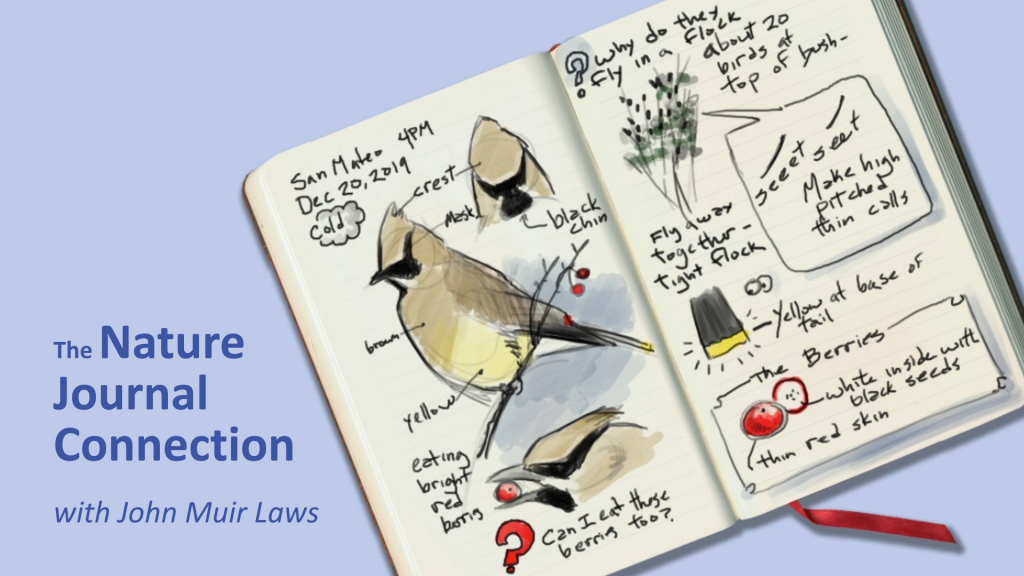
Nature Journaling: Get started and grow!
Keeping an illustrated, observational journal is a centuries-old method that has been reenvisioned and refined through the lens of our understanding of neuroscience, learning, and deliberate practice. John Muir Laws · johnmuirlaws.com
Link preview
Nature Journaling: Get started and grow!
Keeping an illustrated, observational journal is a centuries-old method that has been reenvisioned and refined through the lens of our understanding of neuroscience, learning, and deliberate practice. John Muir Laws · johnmuirlaws.com
Comments