 R
↗
R
↗
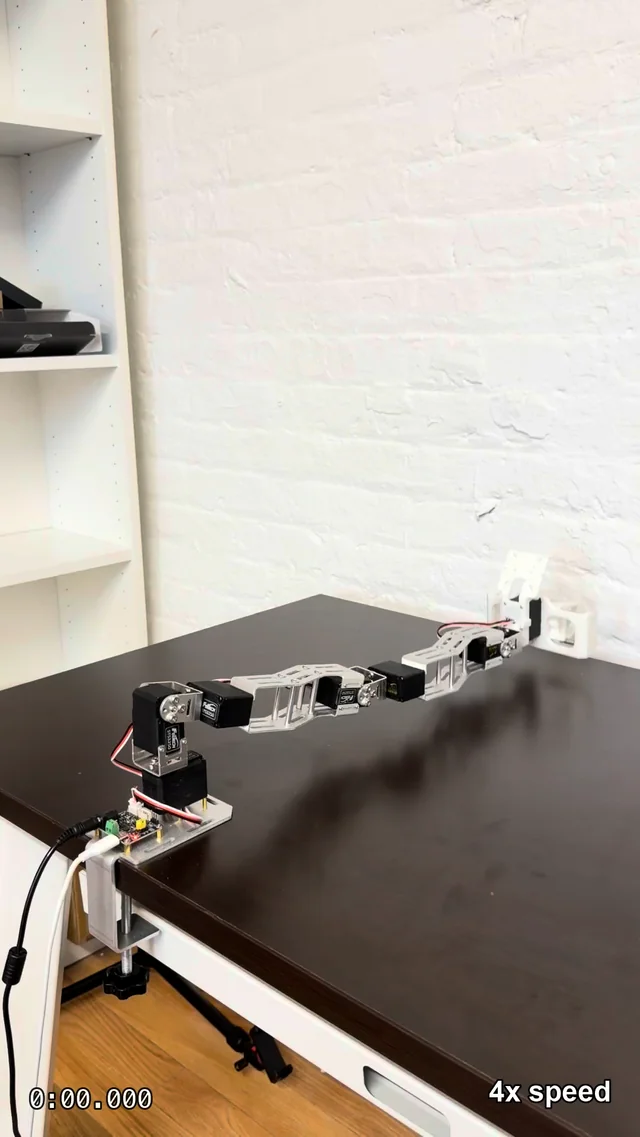
Stress testing my homemade 6dof arm! Total BOM of about $200, uses 4x STS3250 servos (50kg torque) and 3x STS3215 servos (30kg torque). submitted by /u/earthtojek [link] [Kommentare]
 R
↗
R
↗
 R
↗
R
↗
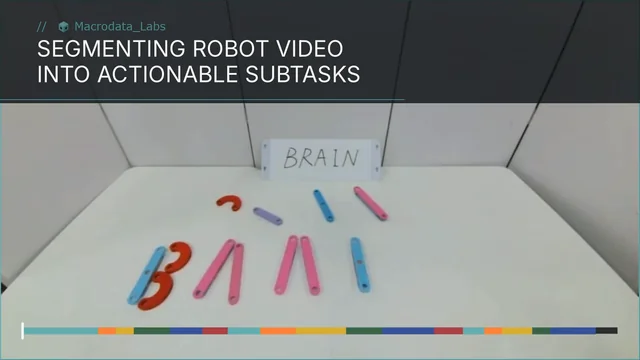
We have spent the past few weeks carefully annotating videos and experimenting with VLMs for subtask annotation. This type of annotation is incredibly important for long-horizon tasks, since robots need a more granular learning signal than high-level instructions like “clean your room.” We ran 50+ experiments, created a new diverse benchmark for this type of annotation, and built a pipeline that is 19x cheaper than humans. It works well as a first pass for labeling, speeding up human annotation and making it substantially cheaper. Blogpost about it is here: https://macrodata.co/blog/annotating-robot-video-subtasks submitted by /u/Other_Housing8453 [link] [Kommentare]
R
↗
In LLMs, Attention Is All You Need is one of those papers everyone agrees is worth studying. What would be the equivalent in robotic manipulation or computer vision applied to robotics? (Besides Transformers, since that would basically take us back to AIAYN) Not necessarily SOTA with 200 GPUs lol I’m looking for a paper worth reproducing to really learn from it. Which one would you pick, and why? submitted by /u/nettrotten [link] [Kommentare]
 R
↗
R
↗
R
↗
R
↗
Hello, I’m a 19-year-old student who recently graduated from high school and will be starting college this September. I’ve been thinking about creating affordable robotics kits and courses for children. I want to offer “build your own” projects, such as small cars, robotic arms, and other fun electronics projects. My idea is to create three levels: Beginner, Intermediate, and Advanced, so that kids of all ages and skill levels can learn and challenge themselves. My goal is to make these kits and classes as affordable as possible. In the beginning, I’m not focused on making a profit. When I was younger, I never had the opportunity to learn robotics on my own and was lucky to receive help from others. I’ve also realized that many robotics classes are very expensive, and I want to make this kind of education accessible to more children. I’d love to hear your thoughts. Do you think this is a good idea? Are there any challenges I should be aware of? Thank you very much! submitted by /u/Mf_KingIsHere [link] [Kommentare]
R
↗
I'm planning to make a micromouse for a competition. I'm gonna use two 6v 500rpm n20 motors for the project. The weight of the robot will be around 200g. What will be the maximum speed that can reach? How will the acceleration be? Is the motor a good choice? submitted by /u/Turbulent-Dust-1590 [link] [Kommentare]
 R
↗
R
↗
Hello everyone, today we are opening Lucy to the r/robotics community. Lucy is an open-source robotics platform built on ROS 2 with a simple goal: One platform to rule them all. We've spent months building the foundation, and now we need your feedback to help shape what comes next. What is Lucy? Lucy provides a unified control layer for robotic systems, making it easier to configure, monitor, and control robots through a common ecosystem. The current beta includes: RViz and Gazebo integration URDF support 3D robot visualization Real-time joint control powered by ros2_control Animation creation and playback tools Webcam-based hand teleoperation Extensible ROS 2 architecture for custom interfaces and applications Try out our demo online ! 🌐 Lucy Control Panel Demo Help us with beta testing Follow the guide to install the full beta: 📋 Beta Test Guidelines And the most important for improving the project, give us your honest feedback please 🐞 Submit Feedback 📦 GitHub Repository 💬 Join our discord server to stay updated and discuss about the project We'd love to hear your thoughts, this is only the beginning ! Welcome to Lucy ! The Lucy Team ❤️ submitted by /u/sambrus_ [link] [Kommentare]
R
↗
Hey everyone, I'm looking for a few people who enjoy robotics and might be interested in collaborating on an open-source robot project. I'm mainly looking for help with things like: PCB design 3D printable chassis Firmware/code Electronics planning I'll be sourcing the parts and assembling it myself. The goal is to create a low-cost robot that anyone can build and improve. This isn't a paid project, just something for fun and to learn together. If you've been wanting to work on a community robotics project or have ideas you'd like to contribute, I'd love to hear from you. Feel free to comment or send me a DM if you're interested. submitted by /u/Worried-You-7003 [link] [Kommentare]
 R
↗
R
↗
 R
↗
R
↗
 R
↗
R
↗
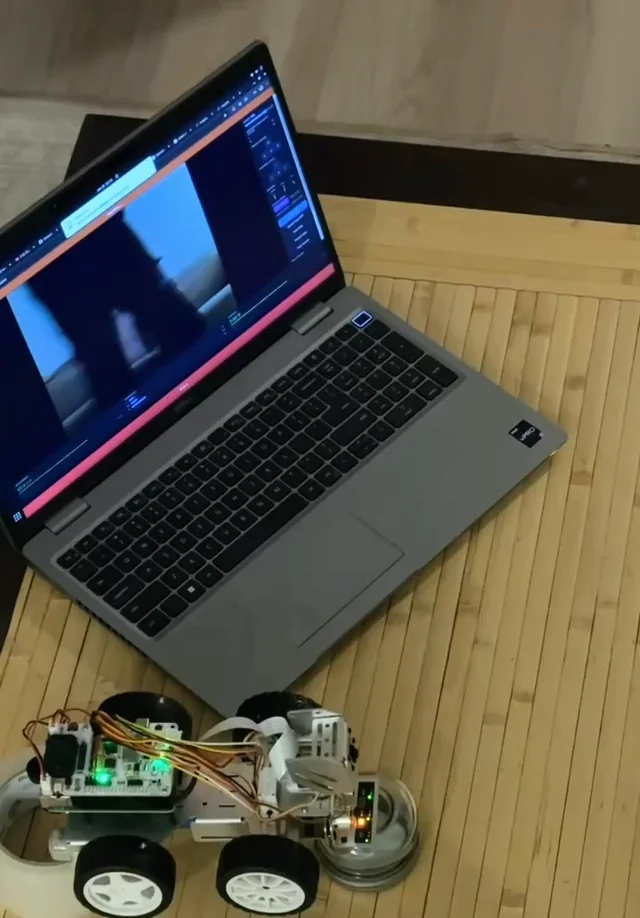
Follow-up to the v2 trajectory post and the noise characterization experiment. v3 adds image-based visual servoing. The problem with v1 v1 tracked horizontally by steering the car body. Ackermann steering has a minimum turning radius — if the tag moves outside a cone in front of the car, the only recovery is a multi-point turn. The camera was locked forward and the car had to point at what it wanted to see. IBVS decouples the camera from the chassis. The pan/tilt gimbal tracks the tag in pixel space regardless of where the car is pointing, and the car centering logic works from the gimbal's pan angle rather than raw image error. The camera can follow a target that the car physically can't yet reach. What v3 adds IBVS core — pan and tilt are driven by pixel error feedback: eu = tag_x − cx, ev = tag_y − cy. Error is smoothed with an EWMA (alpha=0.8), a 10px deadband prevents hunting at center, and corrections are capped at 2° per frame. The result is a gimbal that follows the tag continuously rather than only when the car is pointed at it. Four operational modes — ibvs_test (gimbal only, no drive), manual_ibvs (gimbal + WASD), rat_chase (gimbal + autonomous centering + forward drive), and world_ibvs (full v2 dual-tag world frame behavior). The modes let each layer be validated in isolation before combining them. rat_chase — the autonomous mode shown in the video. Car centering derives a steering angle from the gimbal's current pan angle via a feed-forward gain, then drives forward at a configurable speed and stops at a distance threshold. The car is on a test rig in this clip so the wheels are suspended — this is a hardware-in-the-loop simulation of the drive logic before putting it on the floor. ibvs_anchor_mode world frame — tag0 alone is now enough to anchor the world frame. First detection seeds T_world_anchor; every subsequent frame derives world → car_base from that anchor and the current tag0 pose. No second tag required. The full URDF renders in RViz2 and the car trajectory publishes live. Trajectory visualizer — trajviz.py reads the PLY files output by tf_bridge and produces an interactive Plotly HTML with a color gradient over time, cubic spline overlay, and sliders for spline order and smoothing weight. What the video shows The car is suspended on a test rig — wheels off the floor — running in rat_chase mode. Pan/tilt hunts briefly at the start while the EWMA settles, then locks onto the tag and tracks it. The gimbal motion looks smooth on the car itself; some snappiness is visible in the camera output feed, which is the per-frame correction still present at the edges of the lazy band. Drive and steering commands are being issued but the wheels aren't in contact with anything. Next step is putting it on the floor and running it for real. Bugs worth mentioning TF never broadcast in ibvs_test/manual_ibvs. tf_pub.on_frame() was only called inside _do_chasing(), which the ibvs_test and manual_ibvs branches never reach — they return early. Pi was detecting the tag correctly but zero messages reached tf_bridge. Fix: added the on_frame() call directly in the early-return branch. Z filter rejecting all valid frames — twice. The first version checked car_base_pos[2] against a floor threshold; car base is at Z≈0 so every frame failed. Fixed to check camera height instead. Second version: valid camera height readings clustered just below the threshold (0.000–0.054m vs 0.055m cutoff) and still got rejected universally. Root cause was that I was physically lifting the car during testing so Z filtering is inappropriate in that context. Made the filter an opt-in ROS2 param, defaulted off. Velocity gate blocking hand-carried movement. The jump gate inherited from v2 was set at 10cm — fine for autonomous driving, but every footstep when carrying the car exceeds that. Result: 62 skipped frames in 11 seconds, 2 trajectory points recorded. Added a separate ibvs_max_jump_m param (default 1.0m) for the ibvs_anchor path. What's next Put rat_chase on the floor with the wheels down. The steering and drive logic is implemented and confirmed sending commands — it just hasn't chased anything yet under its own power in v3. That's the next session. References Post history v2 noise characterization experiment v2 trajectory post v1 tag chaser PiCar-X introduction Hardware / code PiCar-X on Amazon Git repo submitted by /u/okineedaplan [link] [Kommentare]
 R
↗
R
↗
R
↗
R
↗
Hello all. I got a JIMU dragon robot kit for my birthday. The problem is that the build guide is only found in the app which is apparently not available for Android phones anymore... I don't know how they're allowed to be selling the kits and advertising the app for Android, but here we are. I think I can manage to code the bot outside of the app, but I have no idea how to put it together. Is there any chance somebody has the step-by-step on putting it together? Or has a way to get it without installing potentially unsafe versions of the app? submitted by /u/Popular_Razzmatazz70 [link] [Kommentare]
 R
↗
R
↗
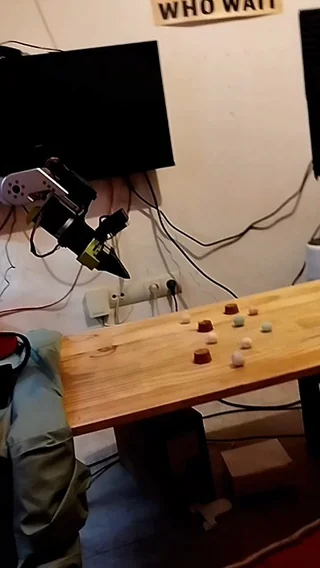
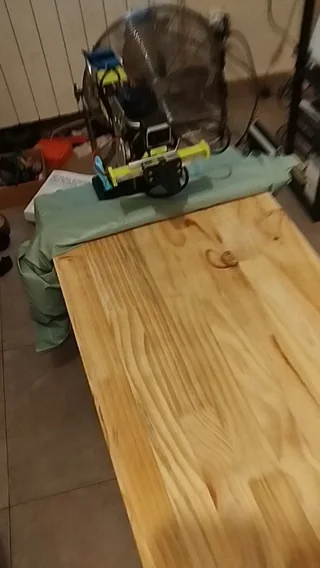
It finally picks up the object. It took me the whole afternoon to get this working. At first, I was aligning the object with the end-effector frame instead of the gripper frame, so I had to change that. I also had to split the motion into stages. From the initial view, the object center was not estimated accurately enough, so the robot first moves to a higher hover pose, gets a better view from above, recomputes the target, and then performs the grasp. The final grasp pose still looks a bit strange to me, and I needed to tinker with some extra parameters because in this pose the object is out of the camera field, so I ended up with a grasping pose via trial and error. This is my first time building something like this, so I am not completely sure what to think of it. I tested it several times, and it picks the object reliably. So I guess: if it works, it works. What do you think? submitted by /u/nettrotten [link] [Kommentare]